Skin Editor for RBX
FromunewaPersonalization
4.112.00 Reviews
- Version
- 1.0.1
- Installs
- 500.00K
- Age Rating
- Everyone
Screenshots
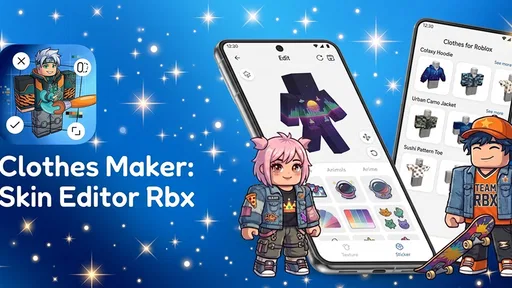
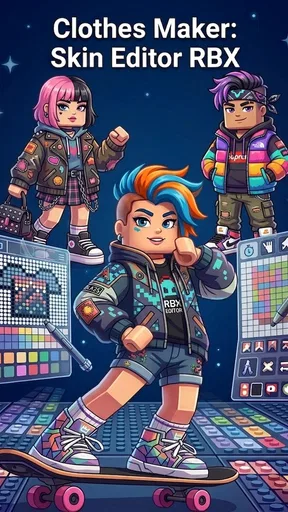
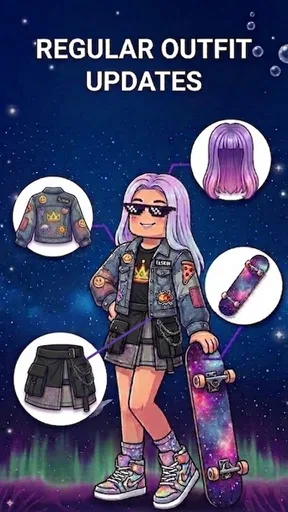
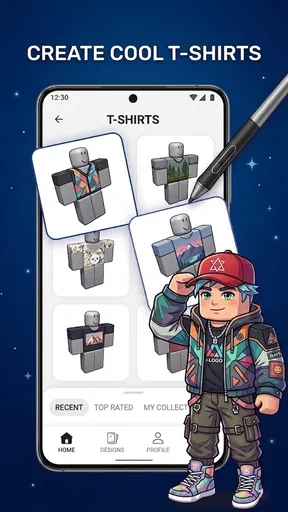
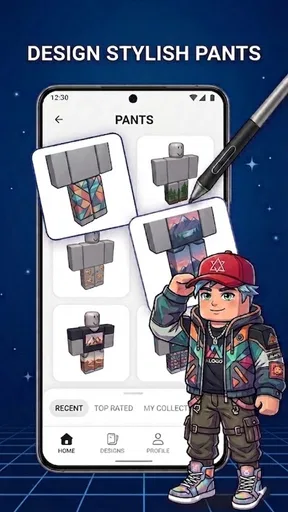
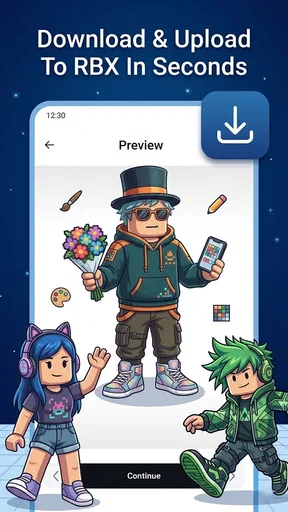
Our Review of Skin Editor for RBX
 Analysis by Appyee
I approached Skin Editor for RBX as a practical personalization tool rather than as a game in its own right. Its purpose is straightforward: help me work on custom RBX skins, shirts, pants, and complete outfits through an editing-focused mobile experience. That makes it appealing when I already have an idea in mind and want to turn it into something usable without opening a more complicated design program.
The app comes from Fromunewa and sits in the personalization category. It is free to use, suitable for Everyone, and its current version is 1.0.1. Those details make it easy to try, especially for someone who wants a quick way to experiment with avatar clothing instead of committing to a paid creative tool.
From a rough idea to a wearable outfit
I find the most useful way to approach a clothing editor is to treat the first design as a small experiment, not a commitment to a finished outfit. I would begin with one clear visual idea, then check whether it still works when translated into clothing rather than left as a sketch in my head. That keeps the creative process manageable and sets up the next step: deciding how much detail the finished look really needs.
Starting with the right expectation
The first thing I would tell a friend is to treat this as an editor, not as a replacement for every part of an avatar platform. The useful starting condition is an existing idea: perhaps a color theme, a shirt concept, matching pants, or a full outfit that needs a consistent look. The app is most valuable when I know what I want to change.
That distinction matters because a simple editor can remove friction without removing the creative work. I still need to decide whether the design should be bold or restrained, whether the colors belong together, and how much detail will remain readable on a small character model. The tool helps with the making stage; it does not automatically solve the design decisions.
For a younger user, the Everyone age rating is reassuring in a basic sense, but I would still recommend adult guidance when the app is being used by a child. The practical issue is not only editing. A child may also need help understanding where a finished design belongs afterward and which parts of the wider RBX ecosystem are separate from the editor itself.
The editing flow in everyday use
I would begin with one clothing item instead of attempting a complete outfit immediately. Starting with a shirt gives me a clear test: I can establish the main color, add the visual identity I want, and see whether the result feels balanced before spending time on matching pieces.
The store summary points to editing tools for skins, shirts, pants, and outfits, so the natural workflow is to move from an individual item toward coordination. I find that approach more reliable than designing everything at once. A shirt can become the anchor, pants can repeat one secondary tone, and the skin or overall styling can be kept simpler so the clothing remains the focus.
My most useful tip is to design for the final viewing distance, not the editing screen. Details that look attractive while zoomed in may become visual noise once the avatar is seen at a smaller size. I would use larger shapes, clear contrast, and a limited color relationship before adding tiny decorative touches.
Another useful habit is to keep a mental separation between identity and decoration. If the outfit is meant to look like a uniform, team style, or recognizable character concept, the main silhouette and color arrangement should work even without small accents. This makes the finished result easier to recognize and gives the outfit a stronger sense of purpose.
Building matching shirts and pants
When I move from a shirt to pants, I would not simply copy every color across both pieces. Matching does not mean making the two items identical. Repeating one accent color is often enough to connect them, while a quieter base on the second item prevents the outfit from looking flat.
This is where the app’s focus on both individual clothing and complete outfits becomes useful. I can think in stages: first make one item convincing, then use it as a reference for the next. That workflow is less wasteful than trying to invent two unrelated pieces and hoping they look coherent together.
A practical scenario would be preparing an outfit for a casual avatar before meeting friends online. I might start with a dark shirt and one bright accent, then carry that accent into the pants without duplicating the entire pattern. The result should feel coordinated while still giving each garment its own role.
I would also check the design from more than one angle whenever the editing view allows it. A front-facing idea can hide awkward transitions around the sides or back. Even without adding elaborate detail, checking how the pattern wraps around the clothing is an important handoff between the design I imagined and the item the avatar will actually display.
Moving from separate pieces to a complete look
The outfit stage is where I would judge the work as a whole. A good shirt can still clash with the pants, and an attractive pair of pants can draw attention away from the intended focal point. I prefer to ask three simple questions: what do I notice first, do the colors belong together, and does the outfit still look intentional when the pieces are viewed together?
One non-obvious trade-off is detail versus flexibility. A highly specific design may look impressive in one outfit but become difficult to reuse with other pieces. A simpler shirt or pair of pants may be less dramatic on its own while working with more combinations. For users who change outfits often, that versatility can be more valuable than maximum decoration.
For a themed outfit, I would create a visual hierarchy. Choose one dominant color, one supporting color, and a smaller accent. That method keeps the design readable and makes it easier to decide what to remove when the result feels crowded. It also helps when a skin tone or avatar appearance changes the way the clothing is perceived.
The handoff from editing to actual use
The most important handoff is between the editor and the place where the design is meant to be used. Creating an item inside a personalization app is one step; getting that result into an avatar or sharing it through the appropriate platform is another. I would not assume that editing automatically completes the publishing or application process.
Before investing a lot of time, I would make a small test design and follow the full path to the intended destination. This tells me whether the output suits my workflow and prevents a frustrating surprise after finishing a detailed outfit. It is a simple test, but it is one of the best ways to separate a tool that fits my needs from one that only looks useful at the editing stage.
This is also where expectations should remain realistic. The app is designed around creating and editing clothing-related visuals, while the final use may depend on the wider RBX environment. If I need a complete system for managing an avatar, social sharing, or platform-side publishing, I would expect to use additional tools or services alongside it.
For personal projects, the handoff can be quite simple: create the item, inspect the finished look, and use the result where appropriate. For a group project, the process needs more care. I would agree on a color palette and naming approach before several people start editing, because combining individually attractive pieces can produce an inconsistent final outfit.
What the finished result feels like
The strongest result comes when the app is used as a focused workspace. I can concentrate on the visual part of the task instead of navigating a broader entertainment app. That focus is particularly helpful for someone who enjoys customizing avatars but does not want to learn a full desktop graphics workflow for every small change.
I also see value in using it as a sketching stage. Even if I later refine an idea elsewhere, a mobile editor can help me settle the basic clothing concept first. I can decide whether a theme works, whether two garments belong together, and whether the design is worth developing further.
The app has attracted over 100K installs and holds a 4.2 average from around 347 ratings, which suggests that many users find the basic idea useful. I would read that as encouragement to try it, not as proof that it will suit every workflow. Editing preferences vary widely, and a person looking for advanced illustration controls may judge it differently from someone who wants accessible outfit creation.
For me, the result is best measured by how quickly I can reach a coherent design. A successful session is not necessarily the one with the most detail. It is the one that leaves me with a shirt, pants, skin, or outfit that has a clear visual purpose and can move cleanly into the next part of my avatar workflow.
Where the workflow can break
The first possible break is overestimating what a mobile editor can comfortably handle. If I want extremely precise artwork, complex layering, or a professional illustration workflow, a dedicated graphics application may be a better choice. Those tools usually demand more learning, but they can offer finer control for users who need it.
The second break is unclear output handling. A design can look finished inside the editor while still requiring another step before it becomes useful on the intended platform. I would test that transition early and keep the first project simple. This is especially important for anyone choosing the app because they expect a single tap to publish a complete outfit.
A third issue is the difference between editing one item and maintaining a collection. The app’s concept is well suited to making individual clothing pieces and outfits, but a user with many designs may need their own organization system outside the editor. I would keep a short written note of color choices and outfit themes so that later pieces remain consistent.
There is also a creative limitation that applies to any focused editor: easy tools can encourage familiar results. If I rely only on the quickest changes, my designs may begin to look repetitive. I would deliberately vary the balance of colors, use negative space, and test unexpected combinations rather than treating the first acceptable version as the final one.
Who should use it, and who should choose something else
I think this app is a good fit for RBX players who enjoy avatar customization, beginners who want a less intimidating starting point, and anyone preparing a coordinated shirt-and-pants combination. It also makes sense for a person who prefers working on a phone or tablet and wants a free way to explore clothing ideas before considering more advanced software.
It is less suitable for someone whose main goal is gameplay rather than personalization. It is also not my first recommendation for a designer who needs deep image manipulation, highly controlled production files, or a broad catalog-management workflow. In those situations, a full graphics editor or a platform-native creation tool may be more appropriate, even if it takes longer to learn.
The developer, Fromunewa, has kept the app’s identity focused on skin and clothing editing. That focus is a strength when I want to work directly on an outfit, but it also means I should not approach it expecting a general-purpose avatar manager. Choosing it becomes easier once I separate the creative editing task from everything that happens before or after it.
My recommendation after following the full process
Skin Editor for RBX is worth trying if your main need is quick, approachable outfit design. I like the way its purpose stays close to the actual creative task: shaping skins, shirts, pants, and outfits rather than burying customization among unrelated features.
The free price removes the biggest barrier to experimentation, and the Everyone rating makes it approachable for a broad audience. I would begin with a small shirt project, test the complete handoff, and only then build a coordinated outfit. That sequence gives a clearer idea of whether the app fits my habits than spending a long session on an elaborate design immediately.
My final view is positive but measured. This is a useful personalization app for turning a rough RBX clothing idea into a more organized visual result. Its value is highest when I want speed, simplicity, and a focused editing experience. If my ambitions grow into detailed artwork or complex asset management, I would move to a more specialized alternative. For everyday avatar styling, though, it offers a sensible place to start and a practical way to make an outfit feel more personal.
Verdict
Strengths of Skin Editor for RBX
- Lets you preview outfit ideas before applying them in Roblox.
- Simple controls make basic skin adjustments quick to understand.
- Useful for experimenting with colors, accessories, and clothing combinations.
- Can help users plan a coordinated avatar style without spending Robux immediately.
- Suitable for casual users looking for quick avatar customization inspiration.
Limitations of Skin Editor for RBX
- Some features may require in-app purchases or additional permissions.
- Results may not always match the final appearance inside Roblox.
- Limited options can make advanced avatar customization feel restrictive.
- Users should verify privacy settings before uploading images or account-related data.
- Unofficial tools may face compatibility issues after Roblox updates.
Similar Picks in This Category
View All
Microsoft SwiftKey AI Keyboard
SwiftKey4.3

Wallpapers
Google LLC4.1

Zedge™ Wallpapers & Ringtones
Zedge4.7

Yandex Browser with Alice AI
Direct Cursus Computer Systems Trading LLC4.3

Ringtone Maker:create ringtone
Big Bang Inc.4.7

Fonts Keyboard
Fonts Keyboard3.9
Frequently Asked Questions
What is Skin Editor for RBX and what can I do with it?
Skin Editor for RBX is a character customization tool designed for users who want to create and preview original avatar outfit ideas inspired by the Roblox-style experience. After testing its editor, the main appeal is the ability to experiment with colors, clothing elements, accessories, and overall appearances before deciding on a final look. It is best viewed as a design and preview utility, not as an official Roblox application or a replacement for Roblox’s own avatar system.
Can I use Skin Editor for RBX to add skins directly to my Roblox account?
Users should not assume that designs created in Skin Editor for RBX can be uploaded or transferred directly to a Roblox account. The app is primarily intended for creating, editing, and previewing character concepts, while account inventory and avatar changes are controlled through official Roblox services. Avoid entering your Roblox username, password, or other sensitive account details into unofficial tools, especially when an app promises free items, Robux, or direct account modifications.
Is Skin Editor for RBX safe to download and use?
The safest approach is to download Skin Editor for RBX only from a reputable official store listing and carefully review the developer information, permissions, privacy policy, and recent user feedback. During use, pay attention to requests for unnecessary access, external downloads, or account credentials. Because this is a third-party app rather than an official Roblox product, users should keep expectations realistic and avoid treating promotional claims about rewards or premium content as guaranteed.
Does Skin Editor for RBX require an internet connection or a Roblox account?
The exact requirements can vary according to the version installed and the device platform. Basic editing and preview features may work without a Roblox login, but advertisements, online content, saved templates, or sharing options can require an internet connection. A Roblox account should not be necessary merely to design a character. Before granting access, check the app’s current store description and permissions, and never provide credentials unless the official Roblox login process is clearly being used.
Is Skin Editor for RBX free, and are there advertisements or in-app purchases?
Skin Editor for RBX may be available as a free download, but free access does not always mean that every editor feature is included. You may encounter advertisements, optional purchases, locked customization items, or limitations on exporting and saving designs. Pricing and availability can change between Android and iOS versions, so review the store page before installing. If children use the app, parental controls are recommended to prevent accidental purchases or interaction with unsuitable advertisements.
